
Context Ingestion & Management for AI
Features • Installation • Quick Start • Architecture • CLI Reference • Configuration
--- ## What is Devour? Devour is a **context ingestion and management system** designed to feed structured, relevant context to AI models for generating accurate, fully working code. It scrapes, indexes, and serves documentation from multiple sources: - GitHub repositories - OpenAPI/Swagger specifications - Markdown/HTML documentation sites - JSON/YAML schemas - Local project files ### Two Modes of Operation | Mode | Description | Use Case | |------|-------------|----------| | **Local** | Runs as an OpenCode skill on your machine | Single developer, offline work | | **Remote** | MCP server hosted on your infrastructure | Teams, multi-project support | --- ## Features ### 🕷️ Multi-Source Scraping - **GitHub** - Clone and parse repos, extract README, docs, code structure - **OpenAPI** - Parse Swagger specs into structured endpoints - **Web Docs** - Crawl documentation sites with Colly - **Local Files** - Index your project's docs folder ### 🧠 Intelligent Indexing - Vector embeddings via OpenAI (text-embedding-3-small/large) - Semantic similarity search for context retrieval - Metadata tracking (source, timestamp, file type) ### 🔄 Automatic Updates - Configurable scheduler (default: every 3 days) - Content hash comparison for change detection - Automatic re-indexing on updates ### 🔌 MCP Integration - Exposes context via Model Context Protocol - **Local mode**: stdio transport (OpenCode skill) - **Remote mode**: HTTP/SSE transport (MCP server) ### 💾 Flexible Storage ``` devour_data/ ├── docs/ # Raw scraped documents ├── index/ # Vector embeddings └── metadata/ # Source tracking & timestamps ``` ### 📊 Quality Scorecard 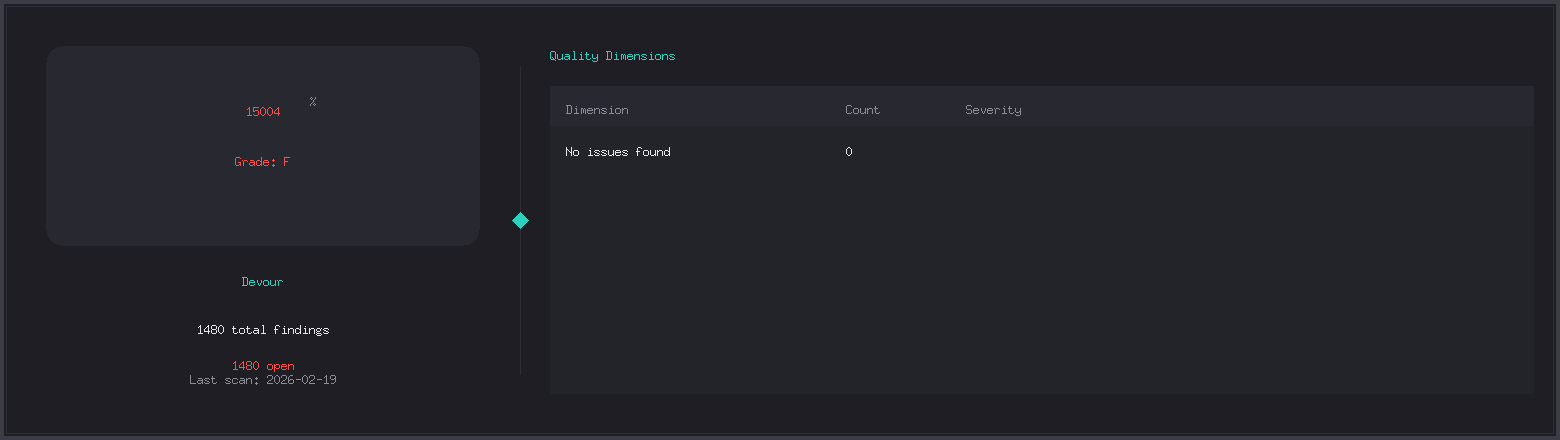 Devour includes a built-in code quality analysis system that generates a comprehensive scorecard for your project. ```bash # Run quality analysis devour quality scan # Generate a visual scorecard badge devour quality scan --badge-path scorecard.png ``` **Features:** - Multi-language support (Go, Python, JavaScript, etc.) - Severity-based scoring (T1-T4 tiers) - Technical debt tracking - Automated code review integration --- ## Installation ### Prerequisites - Go 1.22+ - OpenAI API key (for embeddings) ### From Source ```bash # Clone the repository git clone https://github.com/yourorg/devour.git cd devour # Install dependencies go mod download # Build go build -o devour ./cmd/devour # Install globally go install ./cmd/devour ``` ### Quick Install ```bash go install github.com/yourorg/devour/cmd/devour@latest ``` --- ## Quick Start ### 1. Initialize a Project ```bash # Create devour config in current directory devour init # Or specify a path devour init ./my-project ``` ### 2. Get Documentation (NEW!) ```bash # Quick access to popular language/framework docs devour get go http # Go HTTP package devour get python asyncio # Python asyncio module devour get react hooks # React Hooks documentation devour get docker compose # Docker Compose docs devour get rust tokio # Rust Tokio crate devour get spring boot # Spring Boot framework # Enhanced markdown output devour get go http --format markdown ``` **Supported Languages:** - `go`, `golang` - Go packages (pkg.go.dev) - `rust` - Rust crates (docs.rs) - `python`, `py` - Python modules (docs.python.org) - `java` - Java packages (docs.oracle.com) - `spring` - Spring Boot (docs.spring.io) - `typescript`, `ts` - TypeScript (typescriptlang.org) - `react` - React (react.dev) - `vue` - Vue.js (vuejs.org) - `nuxt` - Nuxt (nuxt.com) - `docker` - Docker (docs.docker.com) - `cloudflare`, `cf` - Cloudflare (developers.cloudflare.com) - `astro` - Astro (docs.astro.build) ### 3. Scrape Documentation ```bash # Scrape from a URL devour scrape https://docs.example.com # Scrape a GitHub repo devour scrape https://github.com/org/repo # Scrape local docs devour scrape ./docs # Multiple sources devour scrape --sources sources.yaml ``` ### 4. Query Context ```bash # Search indexed docs devour query "How do I authenticate with the API?" # With options devour query "authentication" --limit 5 --format json ``` ### 5. Start the Server ```bash # Local MCP server (stdio transport) devour serve # Remote MCP server (HTTP) devour serve --remote --port 8080 ``` ### 6. Check Status ```bash devour status ``` --- ## Enhanced Features ### 🎯 Simplified Language Interface The new `devour get` command provides instant access to documentation for popular languages and frameworks without needing to remember full URLs: ```bash # Instead of: devour scrape https://pkg.go.dev/net/http devour get go http # Instead of: devour scrape https://react.dev/reference/react/hooks devour get react hooks # Instead of: devour scrape https://docs.docker.com/compose devour get docker compose ``` ### 📝 Rich Markdown Output Enable enhanced markdown formatting for beautiful, structured documentation: ```bash devour get go http --format markdown ``` **Features:** - 📋 Document metadata tables - 📑 Auto-generated table of contents - 🎨 Enhanced typography with emoji indicators - 🔗 Automatic link conversion - 📚 Structured content sections - 🏷️ Source attribution and timestamps ### 🧠 Smart Content Enhancement The markdown formatter automatically: - Converts plain URLs to clickable links - Adds visual indicators for examples, notes, and warnings - Fixes code block formatting - Generates proper heading structure - Creates document metadata tables --- ## Architecture ``` ┌─────────────────────────────────────────────────────────────────┐ │ Devour System │ ├─────────────────────────────────────────────────────────────────┤ │ │ │ ┌─────────┐ ┌──────────┐ ┌───────────┐ ┌──────────┐ │ │ │ Scraper │───▶│ Indexer │───▶│ Storage │───▶│ Server │ │ │ └─────────┘ └──────────┘ └───────────┘ └──────────┘ │ │ │ │ │ │ │ │ ▼ ▼ ▼ ▼ │ │ ┌─────────┐ ┌──────────┐ ┌───────────┐ ┌──────────┐ │ │ │ GitHub │ │ OpenAI │ │ Vector DB │ │ MCP │ │ │ │ Web │ │ Embeds │ │ (chromem) │ │ Protocol │ │ │ │ Local │ │ │ │ │ │ │ │ │ └─────────┘ └──────────┘ └───────────┘ └──────────┘ │ │ │ │ ┌─────────────────────────────────────────────────────────┐ │ │ │ Scheduler │ │ │ │ (Auto-update every 3 days, configurable) │ │ │ └─────────────────────────────────────────────────────────┘ │ │ │ └─────────────────────────────────────────────────────────────────┘ ``` ### Data Flow ``` User Query → Devour Server → Embedding Generation → Vector Search │ ▼ AI Response ← Context Chunks ← Top-K Relevant Docs ←───┘ ``` --- ## CLI Reference ### Commands | Command | Description | |---------|-------------| | `devour init [path]` | Initialize Devour for a project | | `devour getBuilt with ❤️ for better AI context